

Quick Comparison
Integration Methods
Custom GPT
Easiest Setup - Just click and chatPerfect if you:
- Use ChatGPT as your primary AI
- Want zero configuration
- Need mobile support
Browser Extension
Best Overall - Rich UI & featuresPerfect if you:
- Want the best user experience
- Use multiple AI platforms
- Want to visually switch between memory buckets
Desktop App (Mac)
For coding chats - Claude Code, Codex, CursorPerfect if you:
- Chat with coding agents on your Mac
- Want those chats in your searchable history
- Want a global chat search shortcut (⌘⇧K)
MCP Server
Most Compatible - 100+ MCP toolsPerfect if you:
- Use MCP-compatible clients
- Want broad tool compatibility
- Are comfortable with technical setup
Remote MCP Server
Hosted MCP - No local setup neededPerfect if you:
- Want MCP without installing Node.js
- Use Claude Web, Claude Mobile, or other hosted clients
- Want the simplest MCP setup
TypingMind Plugin
TypingMind Native - Built for TypingMindPerfect if you:
- Use TypingMind as your AI interface
- Want native plugin integration
- Manage multiple AI models
Detailed Comparison
Custom GPT
Start Using →- Pros
- Cons
- Instant setup - just click the link
- No installation required
- Works on mobile ChatGPT app
- Always up-to-date
Browser Extension
Install Extension →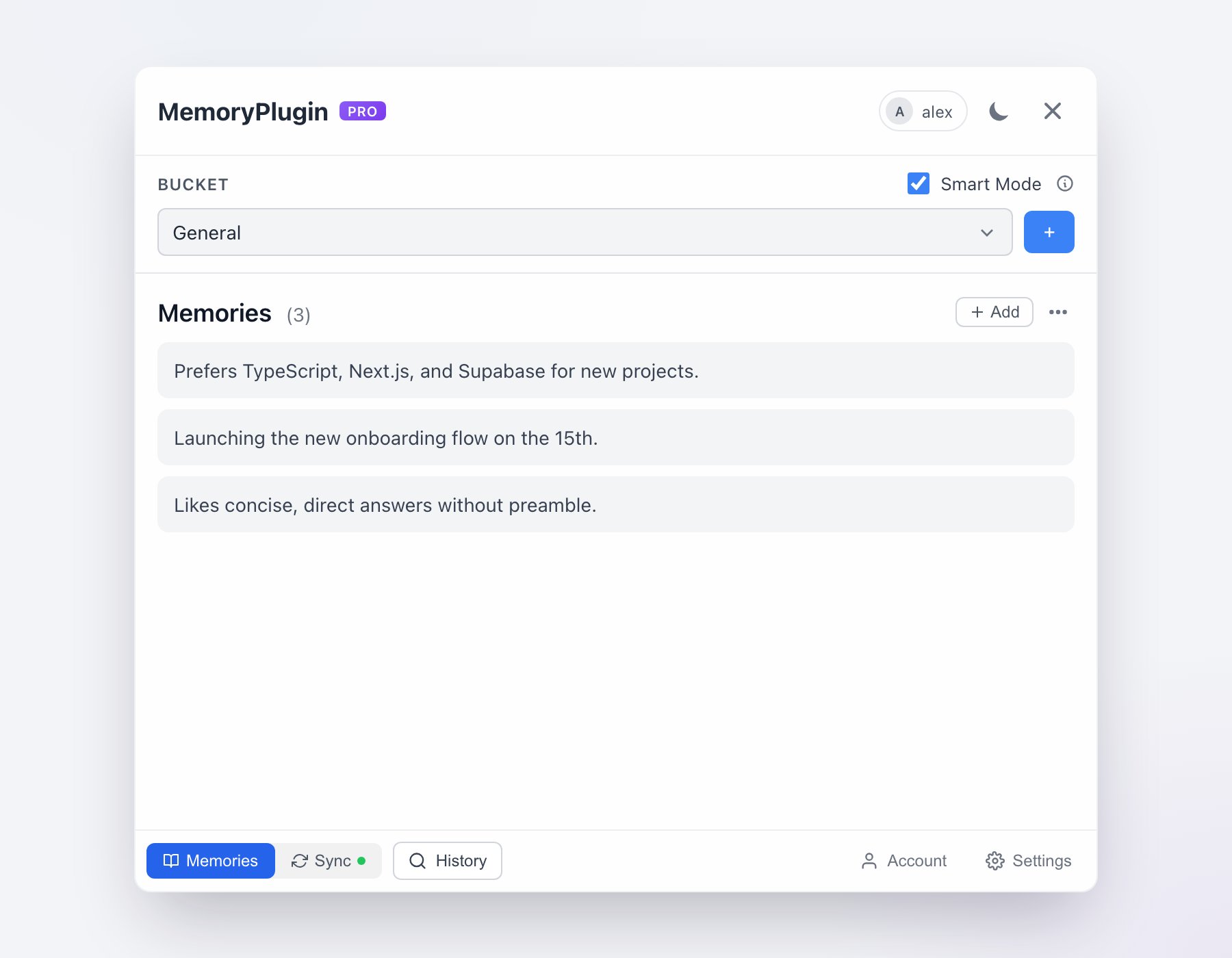
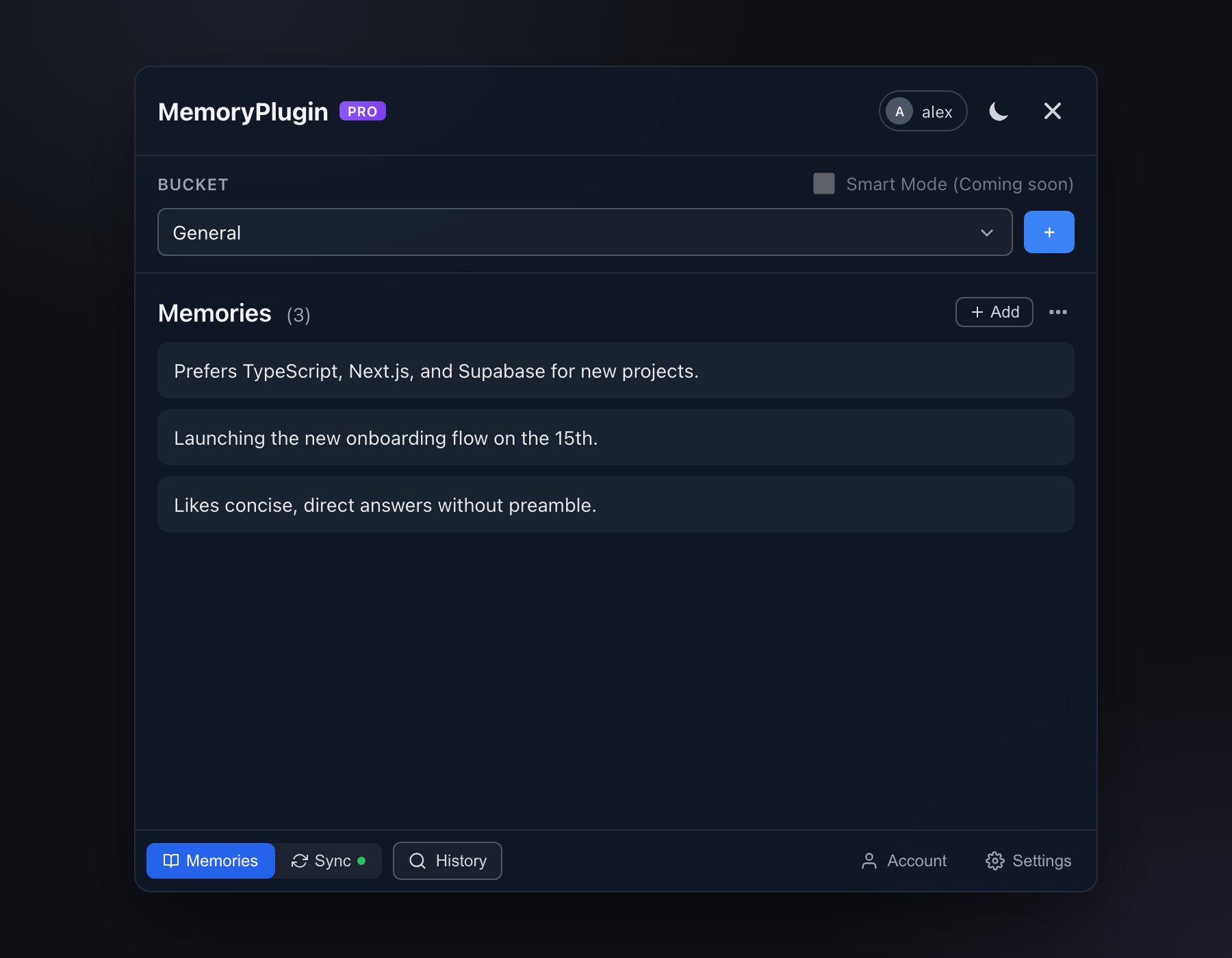
The browser extension panel, showing your buckets and memories right alongside the AI you are chatting with.
- Pros
- Cons
- Rich visual interface with bucket switching
- Works with 21+ AI platforms
- Best user experience with full UI
- Works on desktop and mobile (iOS Safari, Quetta Browser)
- Chat history sync for ChatGPT, Claude, Gemini, Grok, DeepSeek, and TypingMind
- Quick inject button for easy activation
MCP Server
Setup MCP →- Pros
- Cons
- Works with 100+ MCP-compatible tools
- Broad ecosystem compatibility
- Standard protocol implementation
- Once configured, runs without further clicks
API Integration
View API Docs →- Pros
- Cons
- Complete control and customization
- Build your own integrations
- Use in any application
- Programmatic access
Which Should You Choose?
I'm new to MemoryPlugin
I'm new to MemoryPlugin
Start with the Custom GPT if you use ChatGPT, or the Browser Extension for other platforms. These are the easiest to set up and use.
I use multiple AI platforms
I use multiple AI platforms
The Browser Extension is your best choice. It works with ChatGPT, Claude, Gemini, and many others from a single installation.
I use MCP-compatible tools
I use MCP-compatible tools
Set up the MCP Server if you’re already using Claude Desktop, Cline, Continue, or any of the 100+ MCP-compatible clients.
Can I combine them?
Can I combine them?
Yes, and on Claude it is the recommended setup: the remote MCP server lets Claude call your memory tools itself, and the browser extension keeps your chats syncing into chat history. The integrations share one memory, so mixing them never creates duplicates. Remember that ongoing chat history sync always needs the extension, whichever integration you read memories through.
I'm a developer
I'm a developer
Check out our API Integration to build custom implementations for your specific needs.
Getting Help
Need assistance choosing or setting up an integration?- Check specific integration guides for detailed instructions
- Visit our Feedback Portal to request features
- Contact support@memoryplugin.com for help
You can use multiple integration methods simultaneously. For example, use the MCP Server with Claude Desktop and the Browser Extension for other platforms.