> ## Documentation Index
> Fetch the complete documentation index at: https://help.memoryplugin.com/llms.txt
> Use this file to discover all available pages before exploring further.

# MemoryPlugin Documentation

> Persistent memory, chat history, and document search across all your AI platforms

export const ArticleInfo = ({author, lastUpdated}) => {
  const authorAvatar = author === 'Alara' ? '/images/author-alara.jpg' : author === 'asad' ? '/images/author-alara.jpg' : null;
  const formatDate = dateInput => {
    if (!dateInput) return '';
    if (typeof dateInput === 'string' && !dateInput.match(/^\d{4}-\d{2}-\d{2}/)) {
      return dateInput;
    }
    try {
      const date = new Date(dateInput);
      const now = new Date();
      const diffTime = Math.abs(now - date);
      const diffDays = Math.floor(diffTime / (1000 * 60 * 60 * 24));
      if (diffDays === 0) return 'today';
      if (diffDays === 1) return '1 day ago';
      if (diffDays < 7) return `${diffDays} days ago`;
      if (diffDays < 30) return `${Math.ceil(diffDays / 7)} week${Math.ceil(diffDays / 7) > 1 ? 's' : ''} ago`;
      if (diffDays < 365) return `${Math.ceil(diffDays / 30)} month${Math.ceil(diffDays / 30) > 1 ? 's' : ''} ago`;
      return `${Math.ceil(diffDays / 365)} year${Math.ceil(diffDays / 365) > 1 ? 's' : ''} ago`;
    } catch {
      return dateInput;
    }
  };
  return <div style={{
    display: "flex",
    alignItems: "center",
    gap: "8px",
    marginBottom: "16px",
    padding: "8px 12px",
    backgroundColor: "var(--ifm-color-emphasis-100)",
    borderRadius: "6px",
    fontSize: "14px",
    color: "var(--ifm-color-content-secondary)",
    border: "1px solid var(--ifm-color-emphasis-200)",
    opacity: "0.8"
  }}>
      <div style={{
    width: "40px",
    height: "40px",
    borderRadius: "50%",
    background: authorAvatar || "linear-gradient(45deg, #4F46E5, #7C3AED)",
    display: "flex",
    alignItems: "center",
    justifyContent: "center",
    color: "white",
    fontWeight: "bold",
    fontSize: "18px"
  }}>
        {authorAvatar ? <img src={authorAvatar} alt={author} style={{
    width: "100%",
    height: "100%",
    borderRadius: "50%"
  }} /> : author?.[0]?.toUpperCase()}
      </div>
      <div>
        <div style={{
    fontWeight: "400",
    fontSize: "14px"
  }}>Written by <span style={{
    fontWeight: "600"
  }}>{author}</span></div>
        <div style={{
    fontSize: "14px"
  }}>Last updated <span style={{
    fontWeight: "600"
  }}>{formatDate(lastUpdated)}</span></div>
      </div>
    </div>;
};

<ArticleInfo author="Alara" lastUpdated="2026-07-12" />

AI tools like ChatGPT and Claude forget everything between conversations. MemoryPlugin fixes that: it stores the things that matter and hands them back in whichever AI you open. One memory. Every AI.

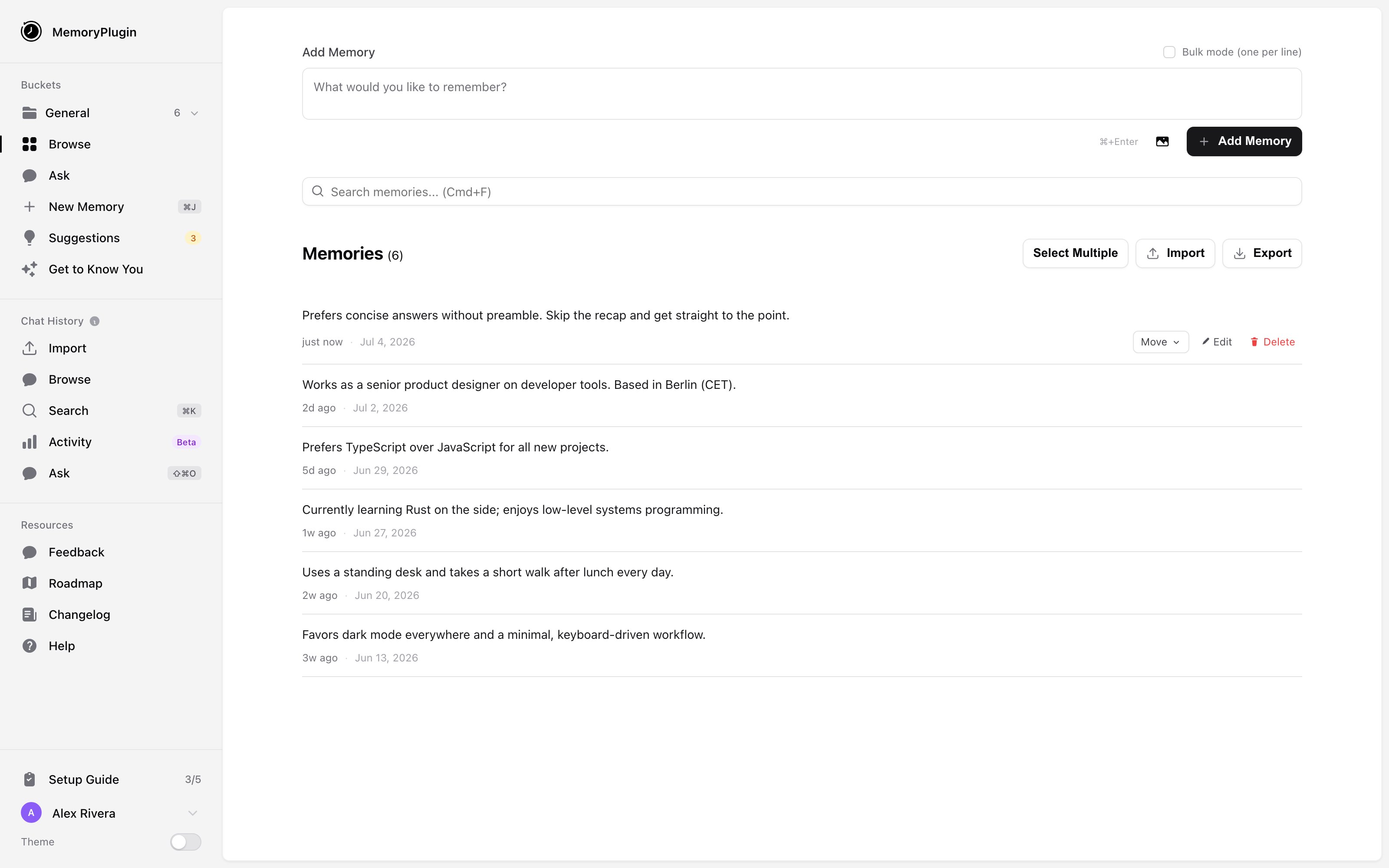
<Frame caption="The MemoryPlugin dashboard, where you write, organize, and search everything your AI can recall.">
  <img className="block dark:hidden" src="https://mintcdn.com/memoryplugin/0D7zqA9Ak-TR54pG/images/screenshots/dashboard/dashboard-overview.png?fit=max&auto=format&n=0D7zqA9Ak-TR54pG&q=85&s=12d624e2ff518379964ef033b6f4a77a" alt="The MemoryPlugin dashboard showing memory buckets, the add memory box, and a list of saved memories" width="3200" height="2000" data-path="images/screenshots/dashboard/dashboard-overview.png" />

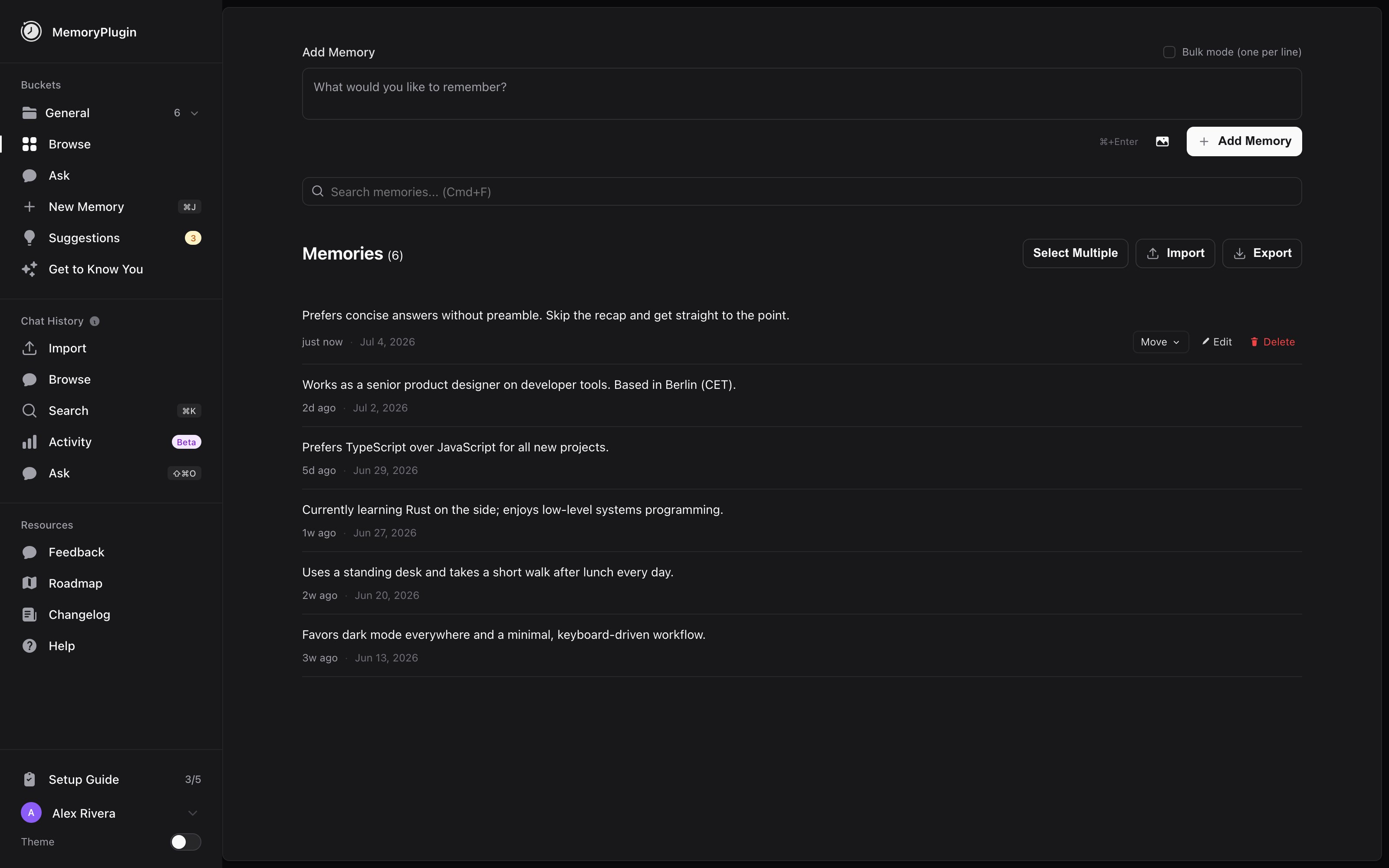
  <img className="hidden dark:block" src="https://mintcdn.com/memoryplugin/0D7zqA9Ak-TR54pG/images/screenshots/dashboard/dashboard-overview-dark.png?fit=max&auto=format&n=0D7zqA9Ak-TR54pG&q=85&s=2fc81ac0c3f295fee8d2d81d59e868ee" alt="The MemoryPlugin dashboard showing memory buckets, the add memory box, and a list of saved memories" width="3200" height="2000" data-path="images/screenshots/dashboard/dashboard-overview-dark.png" />
</Frame>

## What you can store

<CardGroup cols={3}>
  <Card title="Memories" icon="brain" href="/features/memory-buckets">
    Facts, preferences, and context your AI can recall in any conversation
  </Card>

  <Card title="Chat History" icon="clock-rotate-left" href="/features/chat-history/introduction">
    Your past conversations from ChatGPT, Claude, and more, searchable in one place
  </Card>

  <Card title="Files" icon="folder-open" href="/features/file-buckets">
    PDFs and documents you can query alongside your memories
  </Card>
</CardGroup>

## Start here

<CardGroup cols={2}>
  <Card title="Quick Setup" icon="rocket" href="/getting-started/introduction">
    Create an account, pick an integration, and be running in a few minutes
  </Card>

  <Card title="How It Works" icon="gear" href="/getting-started/how-it-works">
    The memory model, injection and recall, and how tokens are spent
  </Card>

  <Card title="Supported Platforms" icon="globe" href="/platforms/supported-platforms">
    The full compatibility matrix for 21+ AI tools
  </Card>

  <Card title="Integrations" icon="puzzle-piece" href="/integrations/overview">
    Browser extension, MCP server, TypingMind plugin, Custom GPT, and API
  </Card>
</CardGroup>

## Have a specific question?

The [Common Questions](/questions/add-memories-to-a-chat) section answers the things people ask most, one task per page: [adding memories to a chat](/questions/add-memories-to-a-chat), [saving a memory](/questions/save-a-memory), [turning on auto-sync](/questions/enable-auto-sync), [searching past conversations](/questions/search-past-conversations), [keeping a chat private](/questions/keep-a-chat-private), and more.

## Key features

<CardGroup cols={2}>
  <Card title="Ask" icon="messages" href="/features/ask">
    Query your memories, chat history, and files from one interface
  </Card>

  <Card title="Smart Memory" icon="sparkles" href="/features/smart-memory">
    Categorizes your memories so your AI loads only what's relevant, using far fewer tokens
  </Card>
</CardGroup>

Want the latest changes? See the [changelog](/changelog).